Church Communication Guide
Best Kids Check In App Choices for Churches in 2026
Compare the best kids check in app choices for churches in 2026, including WhatsApp pickup codes, check-in security, setup, and church reporting.
If you lead a children’s ministry, a kids check in app is not really about “taking attendance.” You need to know who is in the room, who is allowed to pick up each child, and how to find the record later if a parent asks or something goes wrong. Paper sign-in sheets still work until a volunteer misreads a name, a visitor arrives at the wrong hallway, or nobody can remember which adult dropped off a child two hours earlier.
This list is for children’s ministry directors, nursery coordinators, and church office staff comparing options for 2026. The right tool usually comes down to a few things: budget for a small church, whether parents and volunteers need another app, setup time, security around pickup, and how easily you can export attendance records.
MsgOrb is our product, so we included it first. The other tools are established church check-in or church management systems. Features and prices change, so confirm the current details on each tool’s own website before you buy.
What matters when choosing a kids check in app
Before comparing tools, it helps to decide which problems you are actually trying to solve.
- Budget: Small churches often need something that works for a nursery and a few classrooms without a large monthly commitment.
- Parent experience: Will parents need to download and learn a new app, or can you use something they already have?
- Volunteer setup: Sunday volunteers usually have five minutes to learn a station. Is the check-in process simple enough for a first-time helper?
- Security release: Does the system give you a clear way to match the right adult to the right child at pickup?
- Records and reporting: Can you search past check-ins, see who was present, and download the information when needed?
The best tool is the one your team will actually use every Sunday, not just the one with the longest feature list.
1. MsgOrb
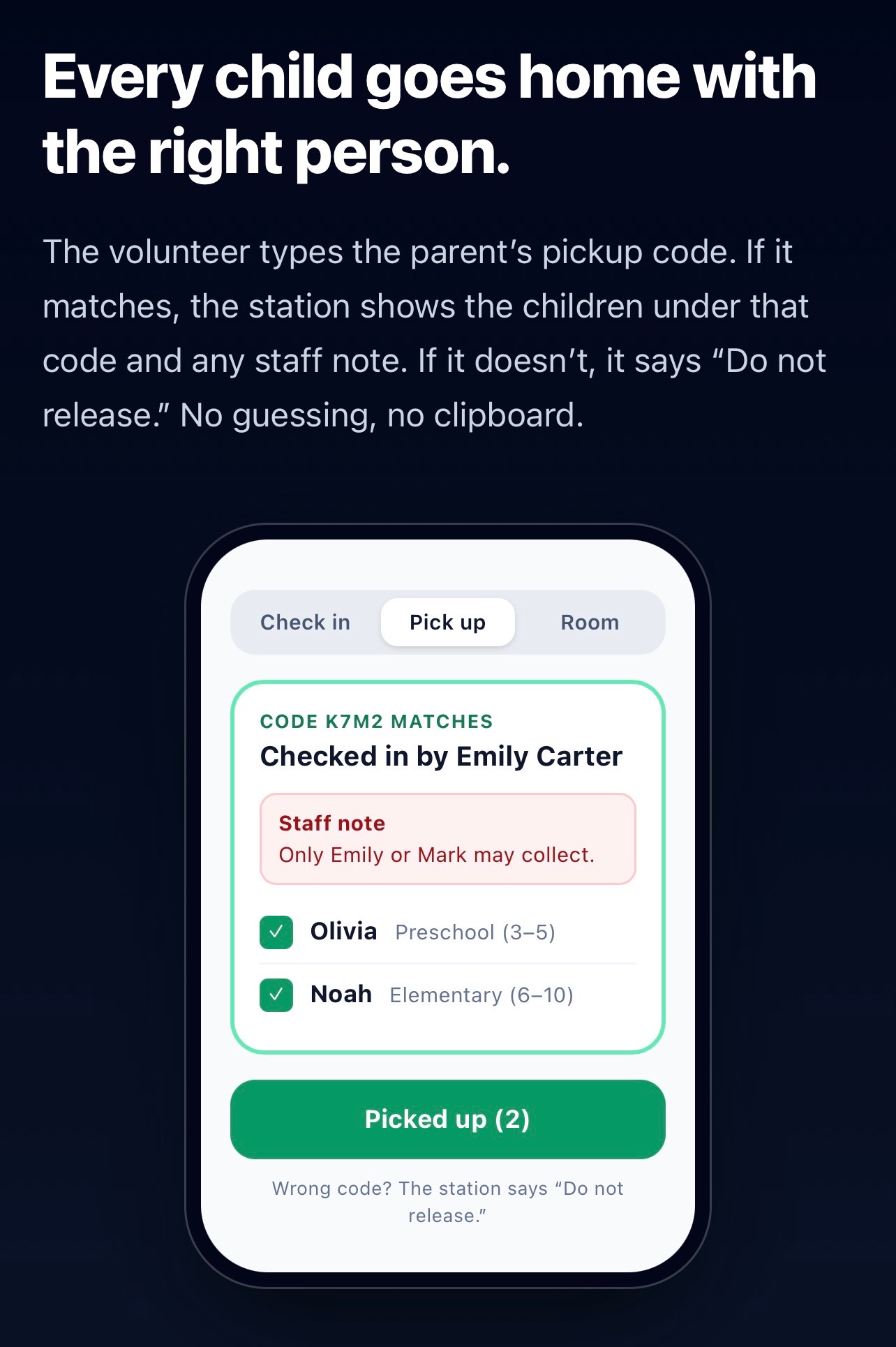
MsgOrb is WhatsApp automation for organizations, and its kids check-in feature is built for churches where parents already use WhatsApp. It sends messages from the church’s own WhatsApp Business number, so parents receive the pickup code in their normal WhatsApp app. There is nothing extra for them to install.
Here is how MsgOrb kids check-in works:
- Parents register once for a program such as Sunday Kids using that program’s registration link.
- Volunteers open the daily station link and PIN on their own phone. There is no volunteer login.
- Volunteers check children in at the station.
- The parent receives a pickup code on WhatsApp.
- A child is released only when the pickup code matches.
Check-in records can be searched and downloaded as CSV for attendance, safety follow-up, or church records.
A realistic pickup message might look like this:
“Grace Community Church: Noah is checked in for Sunday Kids on Sunday, March 15, 2026. Pickup code: 7319. Show this code at Room 104. If you didn’t check Noah in, tell a volunteer immediately.”
Kids Check-In is included on every MsgOrb plan, including the Free plan. The Free plan is $0 for up to 60 members and does not require a credit card. Paid plans start at $19.99 a month for up to 200 members. A parent counts as one member; children never count toward the member limit.
Strengths
- Parents use WhatsApp, so there is no separate parent app to install.
- Volunteers only need the station link and PIN; they do not sign in.
- Pickup codes provide a clear safety step instead of a verbal match.
- Check-in records are searchable and exportable as CSV.
- It works for small churches on the Free plan and scales as the church grows.
Limits
- MsgOrb sends WhatsApp only. If a parent does not use WhatsApp or does not have a phone at pickup, you will need a fallback plan.
- It does not print name tags or run a self-service kiosk with a label printer.
- Volunteers need a reliable internet connection and a phone or tablet.
See the Kids Check-In page and the Kids Check-In setup guide for more detail. For the broader church use case, see MsgOrb for churches.
2. Planning Center Check-Ins
Planning Center Check-Ins is the check-in module within the Planning Center church management suite. It is widely known for pulling people and room assignments from Planning Center People and for supporting printed name tags or security labels at check-in.
Who it’s best for: Churches already using Planning Center for people, groups, or service planning. It is especially useful when you want check-in connected to a church database you already maintain.
Pricing: See their website.
Main strengths:
- Tight integration with Planning Center People.
- Supports printed name tags and security labels.
- Room and classroom rosters stay connected to the church database.
- Established tool with a large user base.
Limits:
- It makes the most sense if you already use Planning Center.
- There is setup and learning time for administrators.
- Printing labels may require tablets, printers, or other hardware.
3. KidCheck
KidCheck is a children’s check-in system focused on child safety and authorized pickup. It has long been known for guardian authorization, detailed child check-in records, and attendance reporting for childcare and church settings.
Who it’s best for: Churches that want a standalone child security check-in system with strong pickup authorization features.
Pricing: See their website.
Main strengths:
- Child safety and secure pickup are the main focus.
- Guardian authorization helps volunteers confirm who may collect a child.
- Attendance and check-in reporting are core parts of the system.
- Used in churches and childcare environments.
Limits:
- It is a separate system, so you may need to enter or import family information.
- If you also need a full church management system, you may still need another tool for giving, groups, or communication.
- It is worth testing the volunteer workflow before committing.
4. Breeze ChMS
Breeze ChMS is a church management system that includes people, giving, volunteers, and check-in. It is known for a simpler interface aimed at smaller and midsize churches that do not want a complicated setup.
Who it’s best for: Small to midsize churches that want check-in inside one church database rather than a separate children’s ministry tool.
Pricing: See their website.
Main strengths:
- Check-in is part of a broader church database.
- Simple, approachable design for church staff.
- People can manage check-in, giving, and contact records in one place.
- Works for churches that want more than attendance tracking.
Limits:
- Check-in is not the main product, so it may not have all the depth of a check-in-specific tool.
- You still need to think through hardware such as tablets or label printers.
- The more ministries you add, the more setup and training are required.
5. ChurchTrac
ChurchTrac is church management software with check-in, worship planning, attendance, and other ministry tools. It has a reputation for serving small churches that need a budget-conscious all-in-one system.
Who it’s best for: Small churches that want church management and check-in without a large or complex rollout.
Pricing: See their website.
Main strengths:
- Designed for small church budgets and volunteer teams.
- Includes check-in along with other church management features.
- Attendance is part of the same system you use for people and groups.
- Straightforward tool for volunteers who are not technical.
Limits:
- The interface may feel less polished than larger platforms.
- Check-in may not be as deep as a dedicated child security system.
- You may still need to add tablets, printers, or other equipment for your room.
6. Realm
Realm is a church management platform from ACS Technologies. It includes people records, groups, giving, communication, and check-in features. It is generally known for connected member profiles and a broader church management approach.
Who it’s best for: Growing churches that want check-in as part of a larger ministry management platform.
Pricing: See their website.
Main strengths:
- Strong member and family records.
- Check-in can connect to broader church ministry data.
- Useful for churches that already need groups, giving, and communication tools.
- Designed to support larger or growing church operations.
Limits:
- It can be more system than a small nursery needs.
- Setup and training may take more time than a standalone check-in tool.
- You should confirm how the check-in workflow fits your current classroom setup.
Quick comparison
- MsgOrb — Best for churches whose families already use WhatsApp; starts at $0 for up to 60 members.
- Planning Center Check-Ins — Best for churches already using Planning Center; pricing: see their website.
- KidCheck — Best for standalone child security check-in; pricing: see their website.
- Breeze ChMS — Best for small to midsize churches wanting a full church database; pricing: see their website.
- ChurchTrac — Best for small churches wanting one budget-friendly system; pricing: see their website.
- Realm — Best for growing churches needing a broad church management platform; pricing: see their website.
How to choose a kids check in app
Start with the parents. If most of your families already use WhatsApp every day, a WhatsApp-based check-in tool removes a major adoption problem. Parents do not need to create another account or learn a new app, and volunteers can check children in from a phone.
If your church already uses Planning Center and your check-in team is comfortable with printed labels, Planning Center Check-Ins may be the more natural fit because it plugs into the database you already use.
If printed name tags, self-service kiosks, or label printers are a hard requirement, a tool built around those workflows may be a better match than MsgOrb. The same is true if many parents do not use WhatsApp or cannot reliably receive a code on their phone.
For a small church that mostly needs nursery and children’s ministry check-in, MsgOrb’s Free plan is a low-risk way to start because Kids Check-In is included. You can test the registration link, station link, pickup code, and CSV export before paying anything.
For a church that needs a full church management system and check-in is only one part of the job, Breeze, ChurchTrac, or Realm may make more sense. Just remember that a broader system usually means more setup, more training, and more features than a simple nursery check-in may need.
Finally, test the Sunday-morning flow with a real volunteer before you commit. Set up one classroom, check in one child, and walk through pickup. If the volunteer can do it without help and the parent understands the code, the tool is probably a good fit.
Frequently asked questions
Does MsgOrb kids check-in require volunteers to install an app?
No. Volunteers open the station link and PIN on their own phone. Parents receive the pickup code in their normal WhatsApp app.
What if a parent does not use WhatsApp?
MsgOrb sends the pickup code on WhatsApp only. If that is common in your congregation, you may need a printed-tag or kiosk-based check-in tool instead.
Is kids check-in included on the Free plan?
Yes. Kids Check-In is included on every MsgOrb plan, including the Free plan. A parent counts as one member, and children never count toward the member limit.
Can we export check-in records?
Yes. Check-in records can be searched and downloaded as CSV. You can also read more about keeping and exporting attendance records in the MsgOrb blog.
Try MsgOrb free at MsgOrb.