Guides
Collect Camp Fees in Installments on WhatsApp
The Sunday Night Fee Spreadsheet
Imagine it’s a Sunday night in July. You’re the director of a summer camp, and registration closed last week. You open your laptop and see a spreadsheet with 40 families. Half of them chose to pay in monthly installments. You also have your bank app open in another tab. You’re trying to match a $50 transfer from three days ago to a parent named Lisa. There are three $50 transfers that day. You don’t know which one is hers. Meanwhile, your phone buzzes. A parent texts: “My card was declined. What do I do?” You sigh. You still need to send reminders to five other families. This is the third time this week you’ve done this. You didn’t sign up to be a payment detective.
Why the Usual Way Breaks Down
When you collect fees in installments, the money and the reminders live in different places. You might use a spreadsheet to track who paid what. You might use your bank app to check transfers. You might text parents from your personal phone. There’s no single place that shows everything. So you spend hours matching payments to people. And you have to remember to send each reminder yourself.
If a card fails, you have to chase the parent. You have to find their info, figure out why it failed, and hope they pay before the next due date. If they pay in cash or check, you have to remember to write it down. If you forget, you have to call them. There’s no automatic system. It’s all on you. And when you’re running a camp, you have better things to do than chase payments.
Parents also get confused. They don’t know when the next payment is due. They don’t know if their payment went through. They end up texting you screenshots of their banking app. You end up scrolling through messages trying to match names to amounts. It’s messy for everyone.
How to Do It With MsgOrb on WhatsApp
With MsgOrb, you can collect camp or program fees in installments, send reminders, and track who paid—all from one dashboard, using your own WhatsApp Business number. Here’s how it works:
- Open Program Fees, click New program. Pick the WhatsApp group it’s for. (Remember: a group in MsgOrb is a contact list, not a WhatsApp group chat.) Add the name, dates, when and where it meets, places available, the price, and how people can pay: In full only, or In full, or in 2, 3 or 4 monthly parts. This gives parents flexibility without adding work for you.
- Click Create program, then Send to group. Every member gets their own payment link on WhatsApp with their name and number filled in. No one has to type their info. That means fewer mistakes and less back-and-forth. The link is private, so each parent sees only their own payment page.
- The first part is paid at sign-up and the card is saved. Three days before each later part, a WhatsApp reminder goes out. On the due date, the card is charged automatically and a receipt arrives on WhatsApp. This happens for every installment. You don’t have to do anything. It’s all automatic, so you never have to remember a due date again.
- If a card is declined, the person shows as Payment late and gets a WhatsApp link to pay or use another card. So they can fix it right away, and you don’t have to chase them. The link is secure and goes only to them. You can see who is late on the People tab.
- The People tab shows what everyone has paid and owes. You can see who is up to date and who is late. You can also see their contact info and payment history. It’s all in one place, so you don’t have to open a spreadsheet. When a committee member asks how collections are going, you just open the tab and read the numbers.
- One-time setup: click Add the payment messages on the program’s page. This is where you add the payment messages and submit them to Meta for approval. It usually takes 15 to 30 minutes. You do this once, before your first program. After that, the messages are ready to go.
- Card payments are processed by Stripe and paid into your own Stripe account. MsgOrb’s booking fee is 2% + $0.50 per payment, paid by the payer on top. That means you get the full fee you set, and the payer covers the booking fee. You don’t lose money on each transaction.
What Your Families Receive
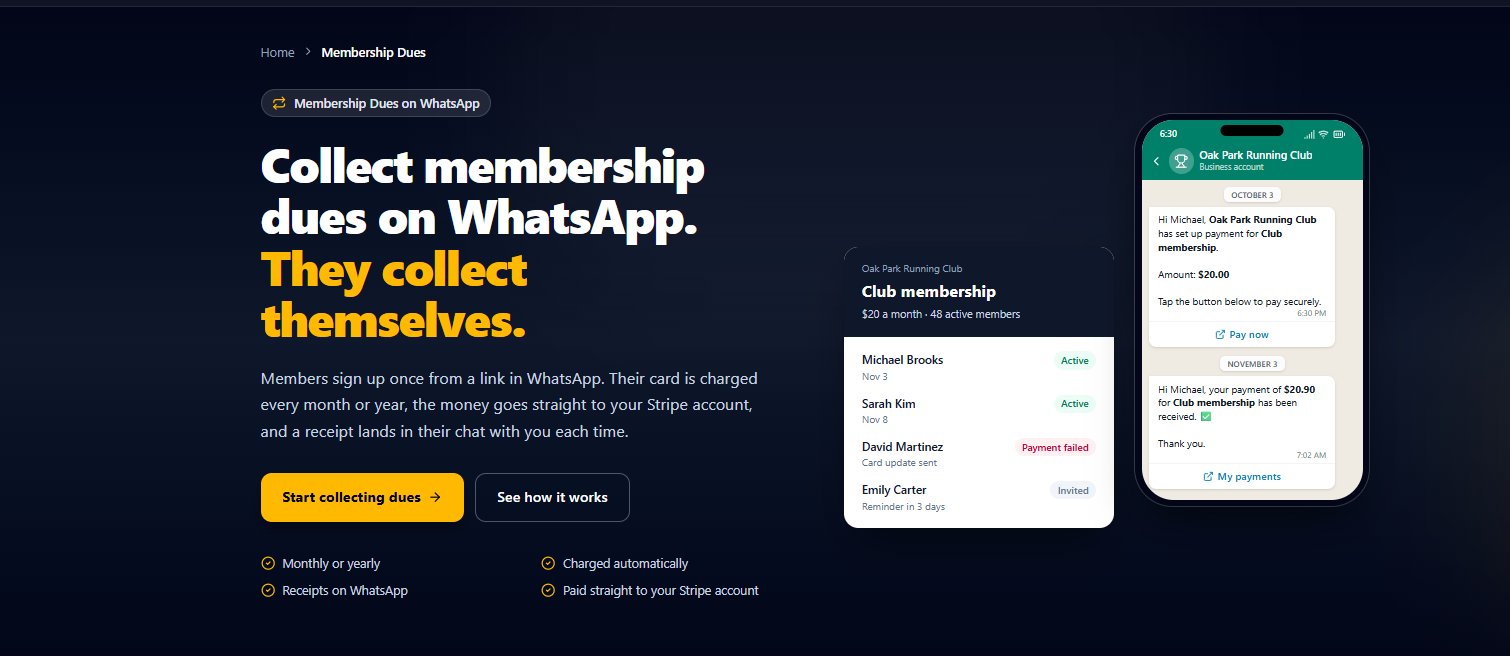
Messages go to each person privately on WhatsApp, with their first name. They never land in a group chat where everyone sees them. Right after the first payment, a parent might get a message like this:
Hi Maria!
Your first payment for Summer Camp was received. Amount: $50.00.
Your next payment of $50.00 is due on August 15.
We’ll remind you 3 days before.
If you need to use a different card, just reply to this message.
Thanks!
Three days before the next due date, Maria gets a reminder on WhatsApp. On the due date, the card on file is charged automatically, and a receipt arrives. If her card is declined, she gets a link to pay or use another card. She doesn’t have to call you or figure out a new way to pay. She just taps the link, updates her card, and she’s done. The messages are private, so parents don’t see each other’s payment info. They feel taken care of, not chased.
What Changes for You
You stop chasing payments. The reminders and charges happen on their own. You don’t have to match bank transfers to names in a spreadsheet. You just open the People tab and see who has paid and who owes. If someone is late, you can see it right away. You can spend your time running the camp or program instead of playing payment detective.
Parents appreciate the clear messages and the automatic reminders. They don’t have to remember due dates either. They get a receipt every time a payment goes through. If something goes wrong, they can fix it themselves with a link. It’s a calmer experience for everyone.
You also look more professional. The messages come from your WhatsApp Business number, so they recognize it. They see your camp’s name and their child’s name. It feels personal, not like a generic payment system. And because it’s all on WhatsApp, they never have to download another app or check email.
Ready to Try It?
You can set up your first program and start collecting fees on WhatsApp for free. Visit www.msgorb.com to create your free account. It takes just a few minutes to get started.