Guides
How to Collect HOA Dues and Send Friendly Late Reminders
Use a friendly hoa dues reminder on WhatsApp. Save cards, send receipts, and fix failed payments automatically. See how HOAs collect dues without chasing.
Every HOA treasurer knows the routine. Dues are due on the first of the month, and by the tenth you are writing emails, slipping notes under doors, and asking neighbors to remind their neighbors. It is slow, awkward, and it still leaves a stack of unpaid balances that you have to chase again next month.
The good news is that a hoa dues reminder does not have to feel like a collection letter. A short, friendly WhatsApp message that people can answer in seconds, plus a payment link that works from their phone, usually gets more residents to pay on time. The rest of this article explains what you can do with tools you already have, where those tools fall short, and how MsgOrb handles recurring dues from start to finish.
What you can do with tools you already have
Most boards start with a few simple options:
- Email and printed notices. Easy to set up, but many residents never open the email, and a paper notice cannot take a payment.
- A WhatsApp group. Quick to start, but group chats get crowded, residents mute them, and you cannot see who has read the reminder or who has paid. Some residents also do not want their number shown to the whole building.
- A broadcast list. This sends each person a private message, which is better for privacy. But a broadcast list is limited, and you still have to track payments in a spreadsheet and chase each balance by hand.
- A check drop box or bank transfer. Works for some residents, but reconciling who paid what takes hours every month.
These methods can send a reminder. They do not handle the hard part: collecting the payment, recording it, and following up with the residents who still owe money. That is where a dedicated tool helps.
How to do this with MsgOrb
MsgOrb is WhatsApp automation for organizations, including HOAs. Messages come from your own WhatsApp Business number, and residents do not install anything. Here is how to set up dues collection step by step.
Step 1: Create your residents group. Open Groups in the dashboard and create a group such as "Maple Ridge Residents." Add residents one by one, paste "name,phone" lines, or import a CSV. You can also share the group's join link so residents add themselves, which records their consent. Residents who want reminders will say yes; those who do not will not be bothered.
Step 2: Set up Membership Dues. Open Membership Dues and create a dues plan. Choose monthly or yearly billing and the amount each household pays. Each resident saves a card once, and the dues are then charged automatically to that card on schedule. There is no need to chase a check each month.
Step 3: Send the reminder. Under Automations, use the dues reminder workflow with an approved template. MsgOrb's starter template is available in the Built-In Library as a dues reminder, so you can edit it and submit it to WhatsApp for approval. Pick your residents group, choose the template, and schedule it for the day before the due date or send it right away.
Step 4: Receipts go out automatically. When a payment succeeds, the resident receives a receipt on WhatsApp. You do not need to type or mail one.
Step 5: Handle failed payments. If a card is declined or expired, MsgOrb sends the resident a link to update their card. They fix it in a minute, and the payment retries without you writing a single note.
Step 6: Track who paid. Your dashboard shows who has paid and who has not, so your follow-up goes only to the households that still owe money.
Payments go through Stripe, straight to your HOA's own Stripe account. MsgOrb does not hold the money. A small fee of 2% plus $0.50 per payment is paid by the resident. Your HOA's own WhatsApp costs are billed by Meta directly, so you will also need a payment method on your WhatsApp Business Account in Meta before your first send. Sending a few friendly reminders each month costs very little compared with printing and postage.
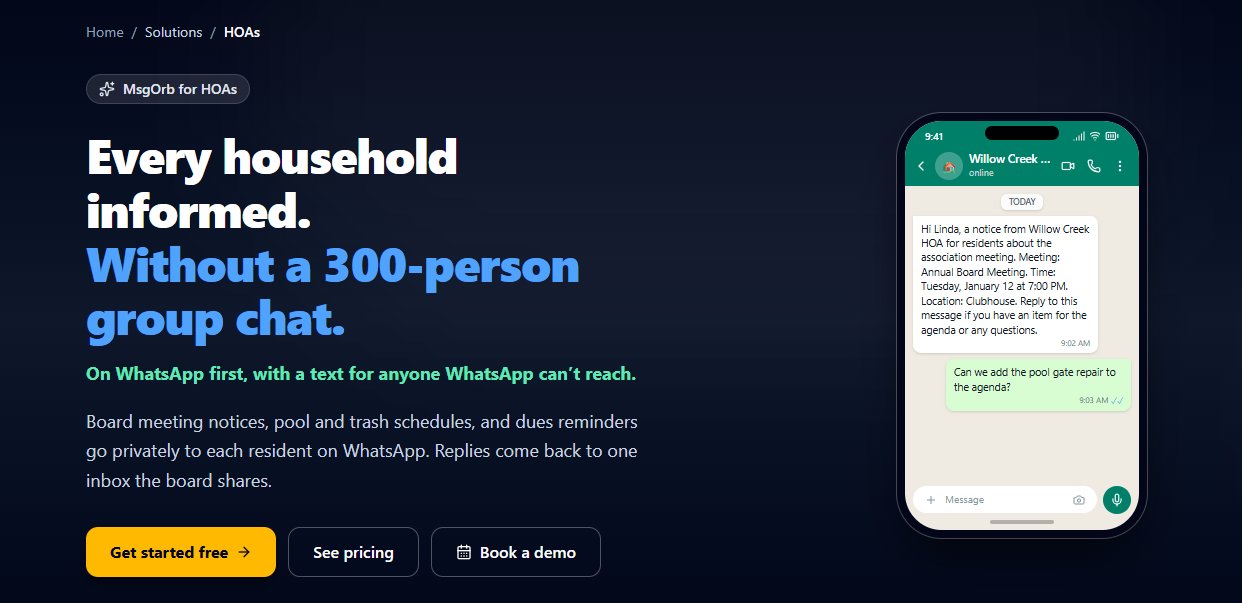
To see what a reminder looks like on a resident's phone, here is an example:
Hi Daniel, this is a friendly reminder from Maple Ridge HOA that your monthly dues of $85.00 are due on Saturday, November 14, 2026. You can pay securely in a few taps here: [payment link]. If you have already paid, thank you, and you can ignore this message. Reply to this message if you have any questions.
Notice the tone: it is short, clear, and gives an easy way to pay or ask a question.
If you want the full setup, the MsgOrb HOA page walks through how HOAs use the tool, and the Membership Dues page explains the saved-card and receipt features in more detail. You can also review the dues reminder template before you submit it.
For a broader look at reminders that residents actually read, see How to Send HOA Meeting Reminders on WhatsApp That Residents Actually Read. For a deeper look at the dues side, see How to Collect Membership Dues on WhatsApp Without Chasing Anyone.
Keeping late reminders friendly
A late reminder should be firm about the balance and gentle about the person. A few habits help:
- Send one reminder before the due date, one on the due date, and one a week later. More than that starts to feel like harassment.
- Use the resident's first name. Personal messages are read more often.
- Always include a way to pay and a way to ask questions. Residents who are short on cash often need to talk to someone before they pay.
- Assume good faith. Many late payments are simply forgotten or caused by an expired card, which the failed-payment link fixes.
- Keep private matters private. Never mention balances in a group that others can see.
With these habits, your board spends less time on collection and more time on the community.
Frequently asked questions
Can residents pay dues without installing WhatsApp? They need WhatsApp on their phone to receive reminders and receipts, which covers most residents. Residents who prefer another method can still pay the treasurer directly and have it recorded.
Is my HOA's money held by MsgOrb? No. Payments go straight to your HOA's own Stripe account. MsgOrb does not hold or move the money.
Will residents get dues reminders on US numbers? Reminders about amounts a resident owes are sent as utility messages, which are tied to something they agreed to. Marketing messages are not delivered to US numbers, so keep dues reminders factual and about their account.
Do I need a technical person to set this up? No. The dashboard guides you through connecting WhatsApp, creating a dues plan, and scheduling reminders. The onboarding videos and Setup Guide cover each step.
Ready to stop chasing dues by hand? Try MsgOrb free and set up your first dues reminder today.